
CO2 Notifications using Home Assistant
During the summer we moved back to our house in Oslo. During summer the doors and windows are frequently open, so we get a lot of fresh air, and consequently CO2 levels are not an issue.
During autumn and now as we approach winter, the temperatures drop to below 10 degrees celcius, meaning the doors and windows are closed most of the time.
Since we live in an older house, primarily built with plaster and wood, we figure CO2 was not an issue. That was until my wife had a look at the CO2 measurements on her Netatmo Weather Station App. The CO2 level was above 1200 ppm.
My wife is professionally involved in ensuring air quality in buildings, schools, hospitals etc, so she basically went into a panic immediately saying we were all going to die! (Okay, maybe not exactly panic, but she was conerned).
Given that I have the Netatmo configured in Home Assistant, I figured I could build an automation to warn us whenever the CO2 levels rise above a certain level.
The Automation
I am NOT going to explain how to integrate the Netatmo, you can probably figure that out by yourself.
Adding a new automation in Home Assistant is rather simple if you have an idea about what you want to automate.
Go to Settings – Automations & Scenes: Press the big blue button “Create Automation” and you get a modal window like the following:

Now you can either use an existing blueprint found online (or built by you, but then you are not reading this!), or you can start from scratch. Since this is really simple, lets just start with an empty automation.
The Trigger
First of we need a trigger – something that should kick off our action (the notification).
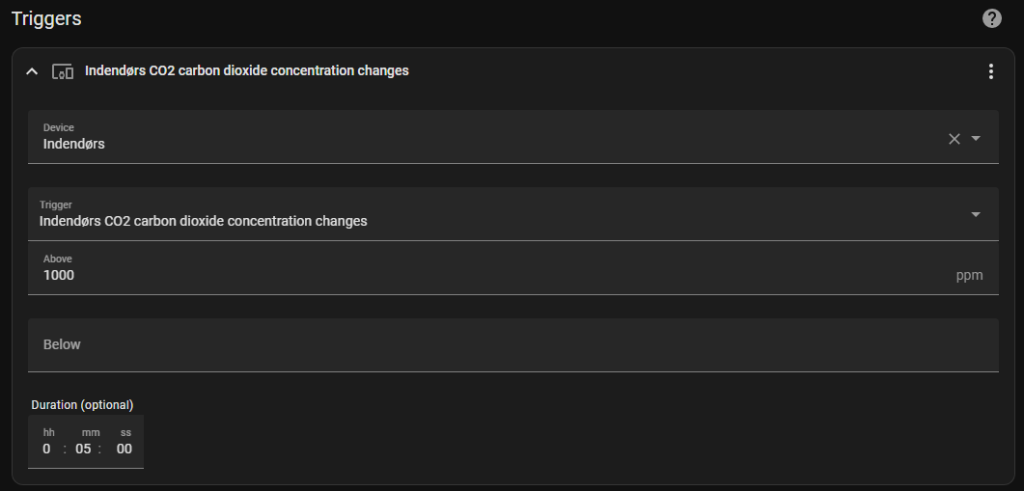
You can either use the visual editor and add a “Device” trigger, and find the indoor CO2 sensor and enter the appropriate values. Or if you know your device id you can just copy/paste the following yaml and change the device and entity id.
type: carbon_dioxide
platform: device
device_id: --YOUR DEVICE ID--
entity_id: sensor.netatmo_indendors_co2
domain: sensor
above: 1000
for:
  hours: 0
  minutes: 5
  seconds: 0
This basically tells the trigger to fire whenever the CO2 level has been above 1000ppm for 5 minutes.
In the UI editor it looks something like this
The Action
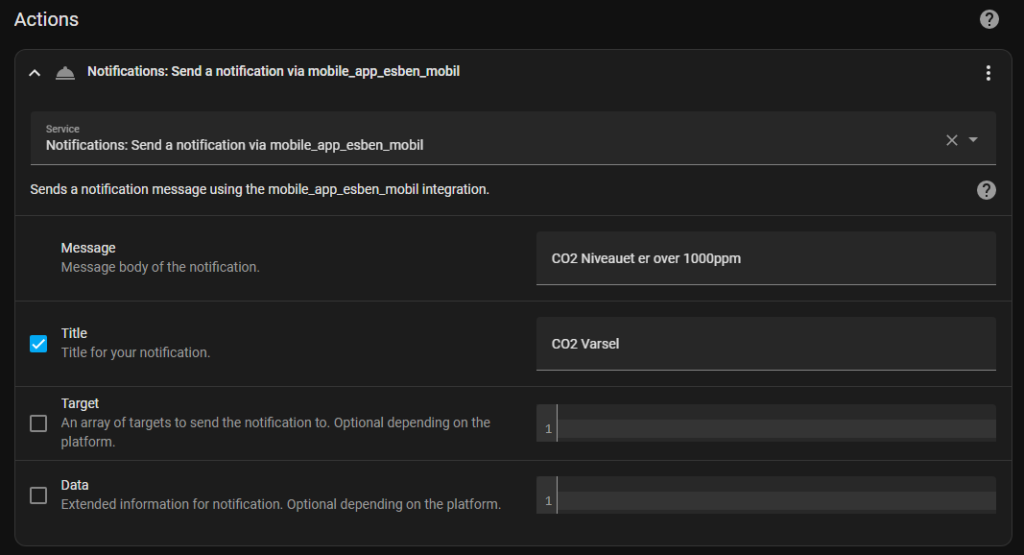
Second we need an action. The notification in this case.
Its also pretty simple. Just choose a Service and select the mobile device.
The End Result
We now have a VERY simple CO2 Warning mechanism, and we actually open our doors and windows a bit more often!
It is on the todo list to buy a LED strip for the living room, and it seems like an obvious target for an expansion of this automation. Something like shortly flashing the lights or changing the colours when the CO2 level rises.
If I ever get around to it ill try and do a post about how it works.